Is Tor Browser Safe for Your Browsing?
Tor Browser can reduce certain forms of network tracking, but it cannot make every browsing action safe. Whether Tor Browser is safe for your situation depends on the device, the sites you use and the information you disclose. It changes how browser traffic reaches a destination and includes privacy protections beyond an ordinary browser. It does not automatically route every application through Tor or make a signed-in account anonymous to its provider. Start with those boundaries before changing settings or adding more software.
When Is Tor Browser Safe Enough for the Task?
Define the information you are trying to protect. Concealing your direct IP address from a website is different from concealing an account identity from that same website. Tor can help with the former while you may explicitly reveal the latter by signing in.
For a hypothetical reader visiting a public news page, Tor Browser changes the network path and provides browser privacy protections. If that reader then signs into an existing subscription, the publisher still knows which subscriber made the request. This is not a failure of routing; it is information supplied through the application.
Also consider the device. A browser cannot prevent compromised hardware or other malicious software from observing everything it can access on the computer. The Tor Project's safety guidance is therefore one part of a wider decision.
An appropriate starting question is: what would identify me even if my direct IP address were hidden? Account details, document metadata and the words of a message can each provide an answer. Address those exposures before assuming that a different connection path settles the whole problem.
Download, Verification and Updates
Obtain Tor Browser through the Tor Project's official download route. An advertisement, forwarded installer or page copying the project's design is not equivalent evidence of origin. Locate the project independently if the download was introduced by an unexpected message.
The project publishes instructions for verifying its download signatures. Follow the current instructions for the package and signing key rather than copying a fingerprint or versioned filename from an old guide. A signature check only answers the publisher question when the signing key has also been authenticated.
In a hypothetical setup, a reader downloads both an installer and a signature from a copied website. If the reader also accepts the attacker's key from that website, a valid signature could merely prove that the attacker signed their own file. The trusted source for the expected signing identity is essential.
Keep the browser updated using the supported process. Do not treat a previously verified download as a permanent reason to ignore later security updates. If a verification step fails, stop and resolve the mismatch through the official instructions instead of running the file first and investigating afterward.
Use the Built-In Security Levels Deliberately
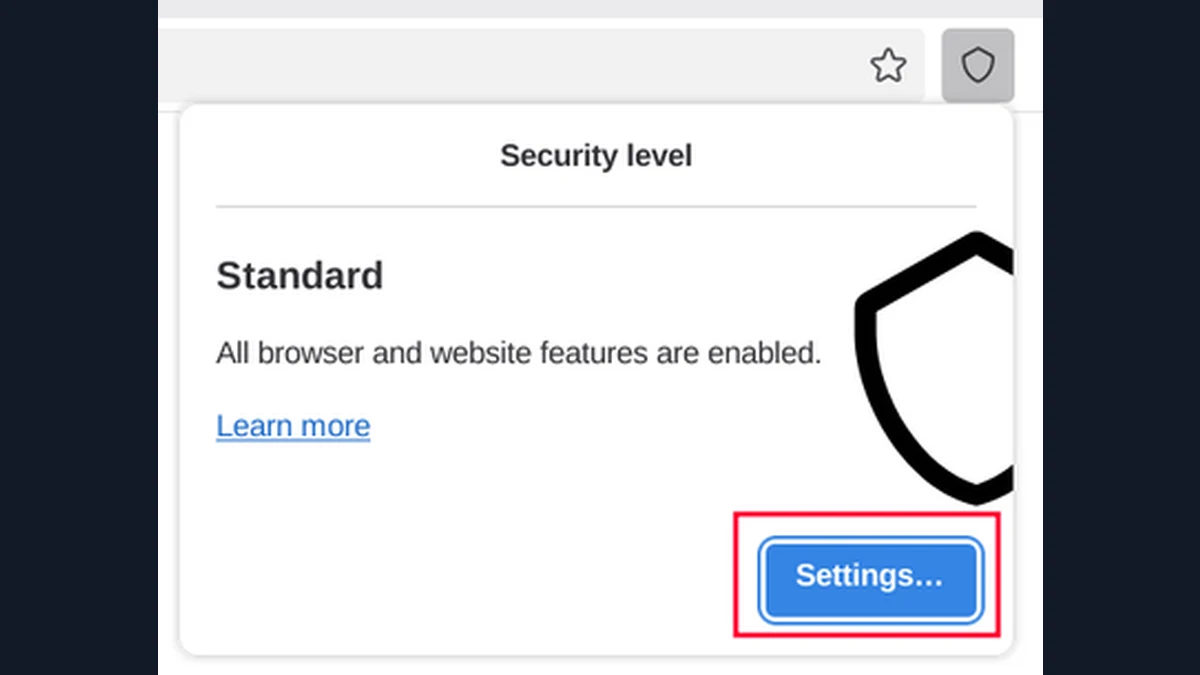
Tor Browser provides Standard, Safer and Safest security levels. Standard enables normal web features including JavaScript. Safer restricts some features, including JavaScript on non-HTTPS sites, while Safest disables JavaScript by default and restricts additional features. The official security-level documentation describes the tradeoffs.
These levels can affect how a website behaves. A hypothetical booking page may require scripts for its form, while a simple article may remain readable with fewer features enabled. A broken form is a compatibility issue to assess, rather than an automatic reason to remove every protection.
Prefer the built-in controls to a collection of custom browser changes. Additional extensions and unusual settings can alter behavior in ways you have not evaluated. Tor Browser's supplied configuration aims to reduce differences between users as well as protect the individual connection.
Choose a level you can use consistently for the task, and read the explanation before lowering it. A higher level can reduce some exposure to active web content, but it does not authenticate the operator of a site or make a downloaded program safe to execute.
Downloads and Other Applications Cross a Boundary
Tor Browser's connection does not automatically cover every program on the device. A document opened in an external viewer may request remote content through another connection. Downloading the file through Tor does not determine how that viewer behaves afterward.
For example, a hypothetical document could reference an external image. Opening it in a connected program may trigger a request outside the browser. Scanning the file is not a reliable way to prove that it will make no identifying network requests, and the file may also contain identifying metadata.
The Tor Project's safety guidance warns about external documents and discourages torrent use through Tor. Separate programs can bypass the expected connection or disclose information in other ways. Adding a browser extension does not correct the behavior of a different application.
If a sensitive task requires handling documents, use an established document-handling process appropriate to that task. Consult the relevant official guidance before opening unexpected files, and avoid doing so merely to satisfy a message's urgency. Keeping the first interaction limited to reading a verified page can avoid crossing this boundary at all.
Three Documented Limits to Keep in View
Tor Project's network overview explains the difficulty of protecting against an observer able to compare traffic at both ends. This matters when the concern is a targeted adversary with broad visibility, rather than ordinary website tracking. No setting should be presented as a guarantee against that threat.
Tor Browser's safety guidance also distinguishes encryption from identity. HTTPS protects connection contents to an ordinary website, but the website still receives what you send it. A login, form or message can therefore identify you independently of the network path.
The same guidance warns against installing extra browser add-ons. This matters because privacy is partly affected by how distinctive the browser becomes, not simply by how many products are labeled protective.
Consider a hypothetical researcher whose task involves a managed laptop, a work account and downloaded files. Tor Browser may protect part of the browsing connection, while the device administrator, account provider and document software remain relevant. Listing those relationships is more useful than placing the entire task into a single category of safe or unsafe.
How to Use Tor Safely: A Small Routine
A repeatable routine reduces mistakes more effectively than changing many settings at once. Start with an official, updated browser on a device you trust, and keep the task narrow enough that you understand which accounts and programs it involves.
- Confirm the download or update through the official project route.
- Review the chosen security level and its compatibility limits.
- Check the destination independently before supplying information.
- Decide whether signing in fits the identity you intend to reveal.
- Avoid unexpected downloads and external document handling.
- Consult official bridge guidance if the problem is reaching Tor.
For a hypothetical blocked connection, adding a VPN and several extensions simultaneously makes it difficult to understand what changed. Troubleshoot the supported connection process first. A connection problem and a website asking for personal information are separate issues.
Your specific next step is to open the official security-level explanation and choose a level for one ordinary browsing task. If that task requires more protection than the browser can provide, identify the missing requirement before proceeding. Do not interpret a successful page load as proof that the entire situation is protected.
Sources and official tools
- support.torproject.org: safety
- support.torproject.org: levels
- support.torproject.org: overview
- Tor Browser: official download
Official references checked when this guide was written. Product links contain no affiliate tracking.
Frequently asked questions
How safe is Tor Browser?
It provides network and browser privacy protections, with documented limits. Accounts, submitted information and a compromised device can still identify or expose you. Assess the task rather than relying on a blanket safety claim.
Should I disable JavaScript in Tor Browser?
Use the built-in security levels and read their tradeoffs. Standard enables JavaScript, Safer restricts it, and Safest disables it by default. The appropriate choice depends on the task and the functionality it requires.
Does Tor protect every app on my computer?
Tor Browser does not automatically route every application through Tor. An external document viewer or other program may make a different connection. Follow a suitable handling process before opening sensitive files.
Should I install more privacy extensions?
The Tor Project discourages adding extra browser add-ons. They can change the browser's behavior and make its configuration more distinctive. More extensions do not necessarily provide better protection.